Custom Rules
(requires AlarmTraq version 10.1 or higher)You can use Custom Rules to drop specific alarms or disable notifications for a specific device permanently or temporarily (specified by the expiration date and time).
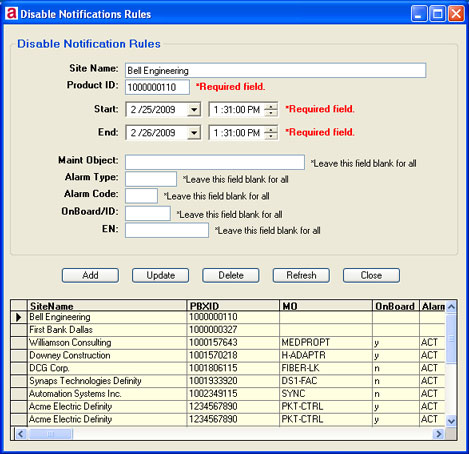
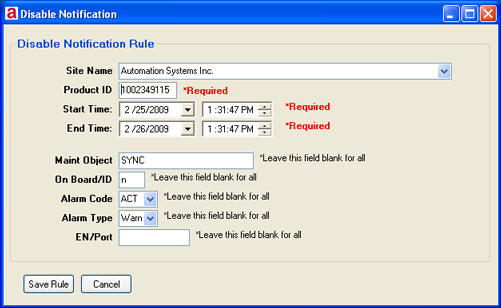
You can schedule when alarm notification will be disabled for a given site. You must specify a start time and end time that notification will be inactive. See also Alternate Alarm Type
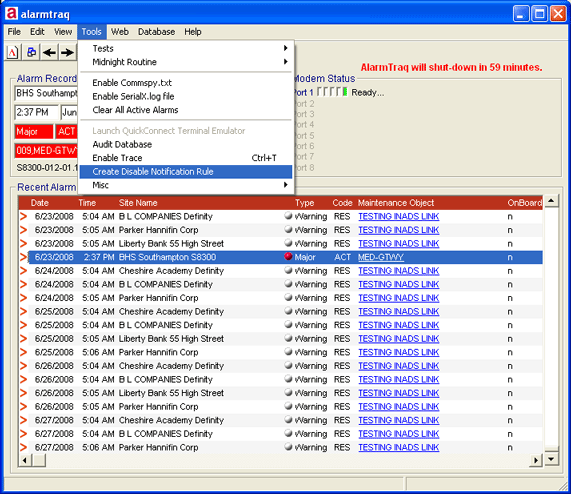
Create a New Rule from an existing alarm
To create a new rule, click on Tools > Create Disable Notification Rule.
Edit Rules
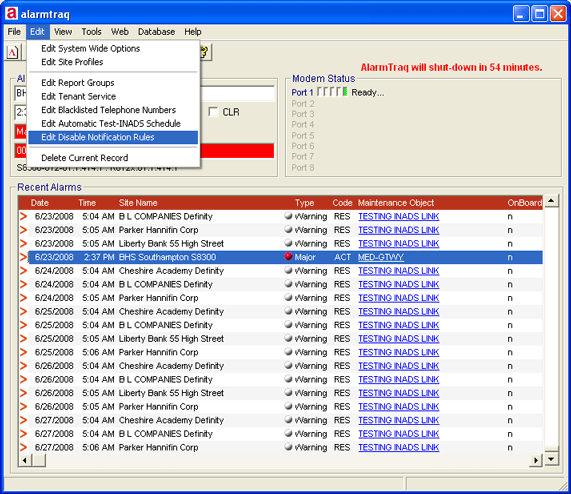
To edit an existing rule or to create a new rule, click on Edit > Edit Disable Notification Rules.