
NOC Tools
A NOC ("Network Operations Centre") has as its primary task to keep your customers voice networks up and running, making sure what is working continues working, what stops working gets fixed and generally keeping tabs on the health of the voice networks. Most of these voice systems share one aspect, they're designed to have a centralized monitoring platform.
In the modern world of excessively firewalled networks and the like, this means placing your alarm monitoring hosts on the outside using either modems or IP (especially if you use SNMP traps for alarm monitoring) or have static IP mappings through one or more firewalls (or, optionally, suitable tunnels through the firewall. See Aurora and opengear).
From an operations point of view, it is good having a single monitoring platform such as AlarmTraq, through which all of the relevant voice systems can be watched, through which alarms and alerts can be raised and where prior alarm history can be checked.
Furthermore, it is desirable that the system is broken up in components, so we can have multiple machines doing the monitoring (see Server Clustering), feeding data to/from each other and also have multiple NOC consoles (see console), where data and alerts are displayed.
Let’s take a look at Acme Communications, a large Avaya BusinessPartner servicing thousands of systems through their central NOC(Network Operations Center) in Connecticut.
They needed a solution that would make sure they could always receive alarms from their customers 24x7, as well as check outbound connectivity to the Avaya systems on a regular basis. They also need robust reporting on which sites failed and why. Customer support is their highest priority so they chose AlarmTraq.
Test INADS Automation
To control the execution and reporting of scheduled INADS tests, each selected system if previously administered with connection information will attempt to connect and login to the Avaya system using either a modem or IP connection. If connected successfully AlarmTraq will issue the appropriate test command (testinads, test inads-link). For a configuration guide click here.
Once the test command has been sent successfully, AlarmTraq will disconnect and wait for the Avaya system to respond with a test inads message delivered over modem, SNMP Trap or https. The test is successful only if AlarmTraq acknowledges the test alarm.
Automatically test the INADS link for a large number of systems over the course of a days, weeks or months.
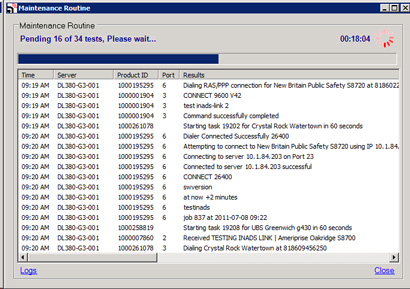
Maintenance Routine
After all sites have been tested, the results are sent by email to the Administrator mailbox(s).
Test INADS Reporting
Upon completion of the Maintenance Routine, All reports are compiled and sent as email attachments.
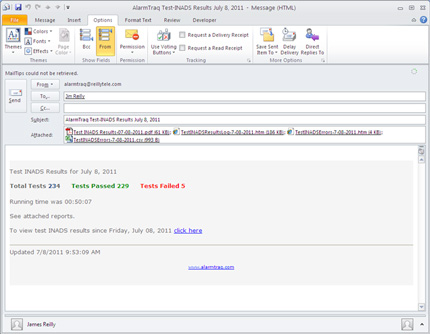
Test INADS results email
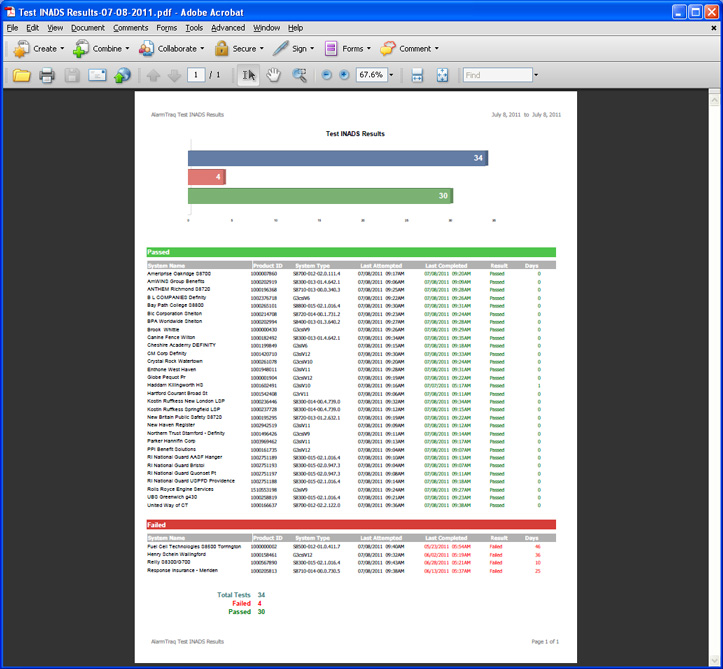
The first attachment is the overall test results report (TestINADSResults-mm-dd-yyyy.pfd).
Test INADS Results Report
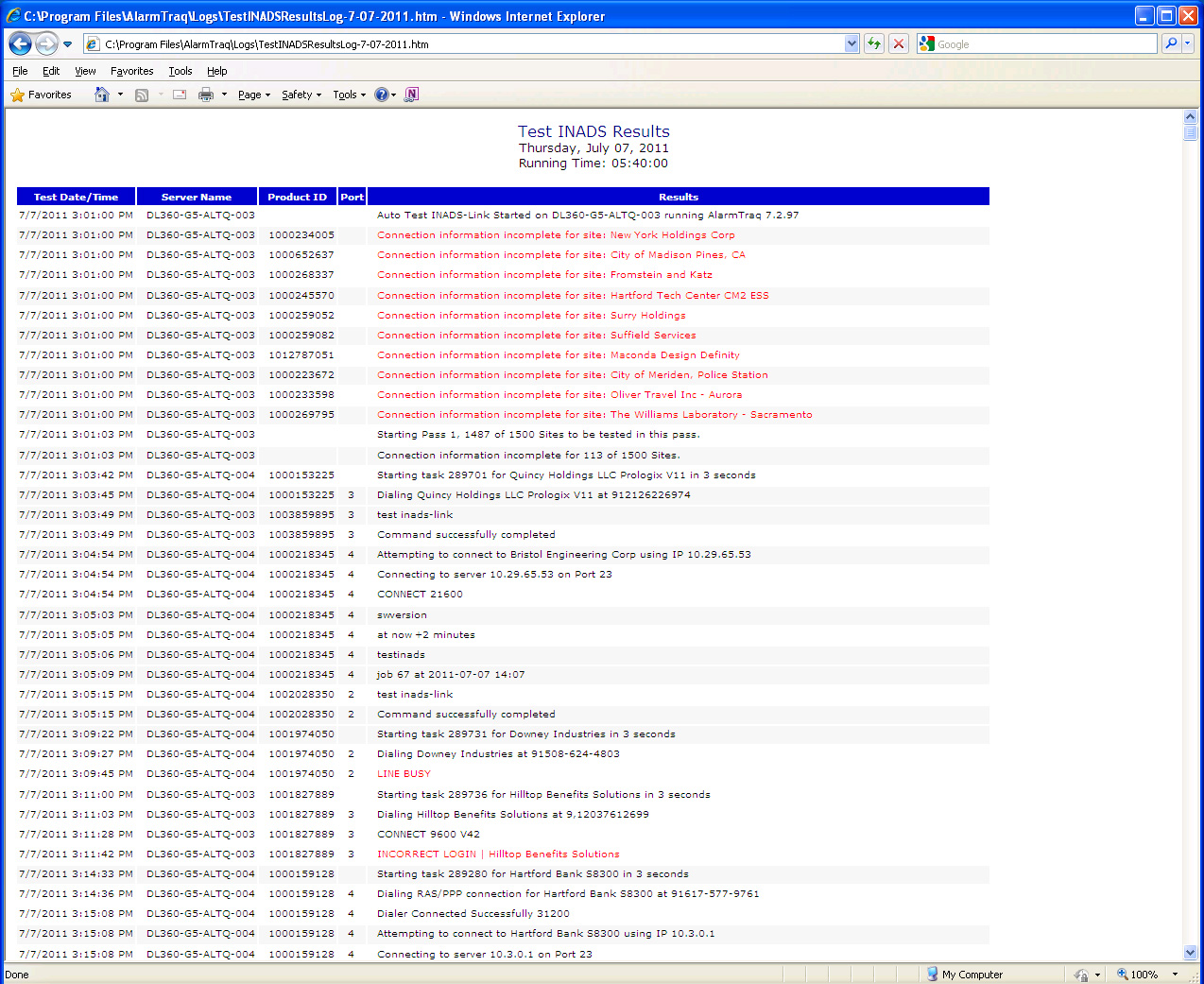
The second attachment is the testinads log which lists in chronological order the events that took place from the start of the Maintenance Routine until completion. This file is crucial in troubleshooting your sites and verifying connectivity and errors.
Test INADS results email
The third attachment is the error log which lists the sites that failed to successfully login and issue their test command. The results and reason for failure are listed.
Test INADS results email
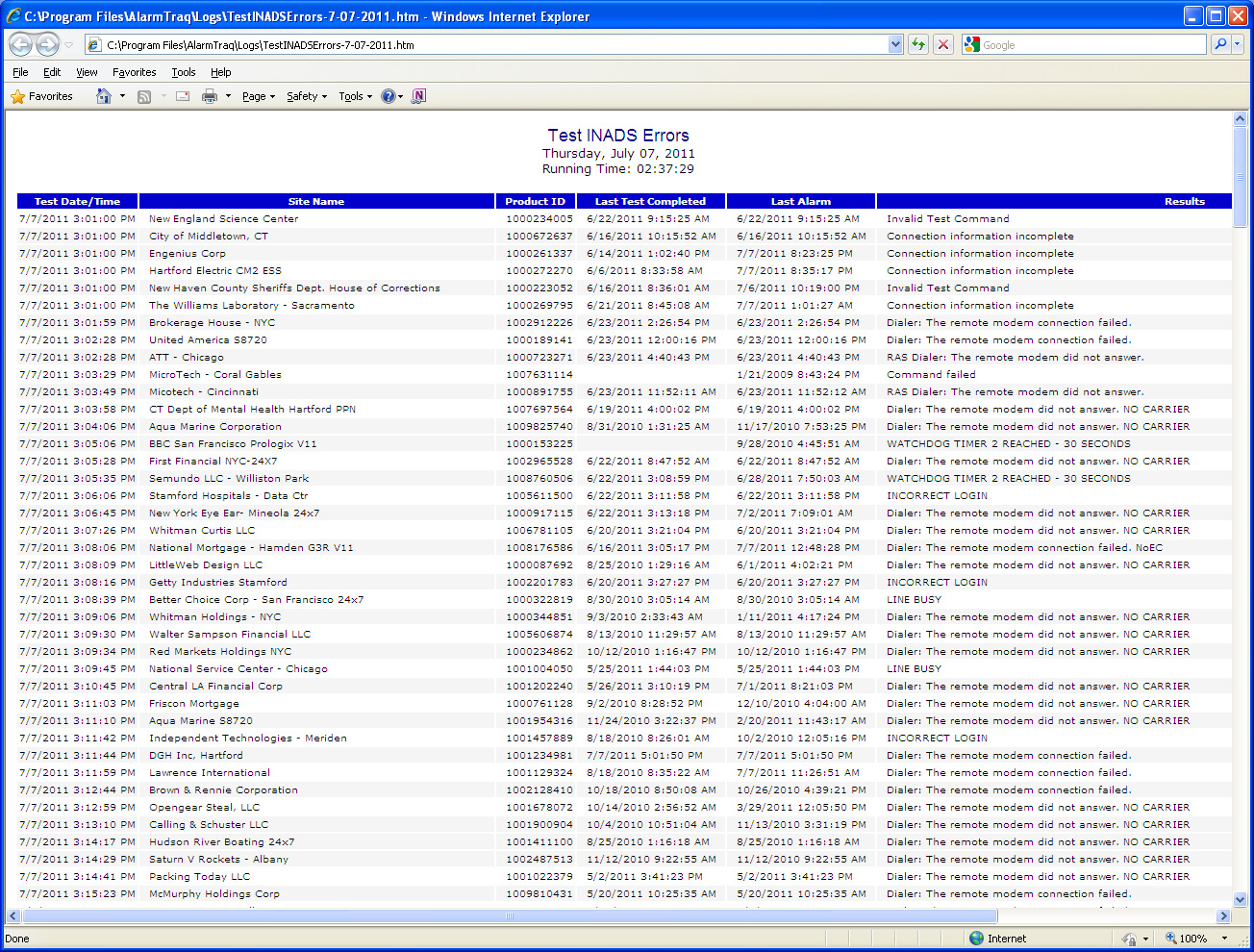
The fourth attachment is the error log in CSV format (comma separated values) which can be used with Microsoft Excel to produce the error log in spreadsheet format.